WhatsApp CRM and business suite
BizFlow
WhatsApp, CRM and daily operations in one app
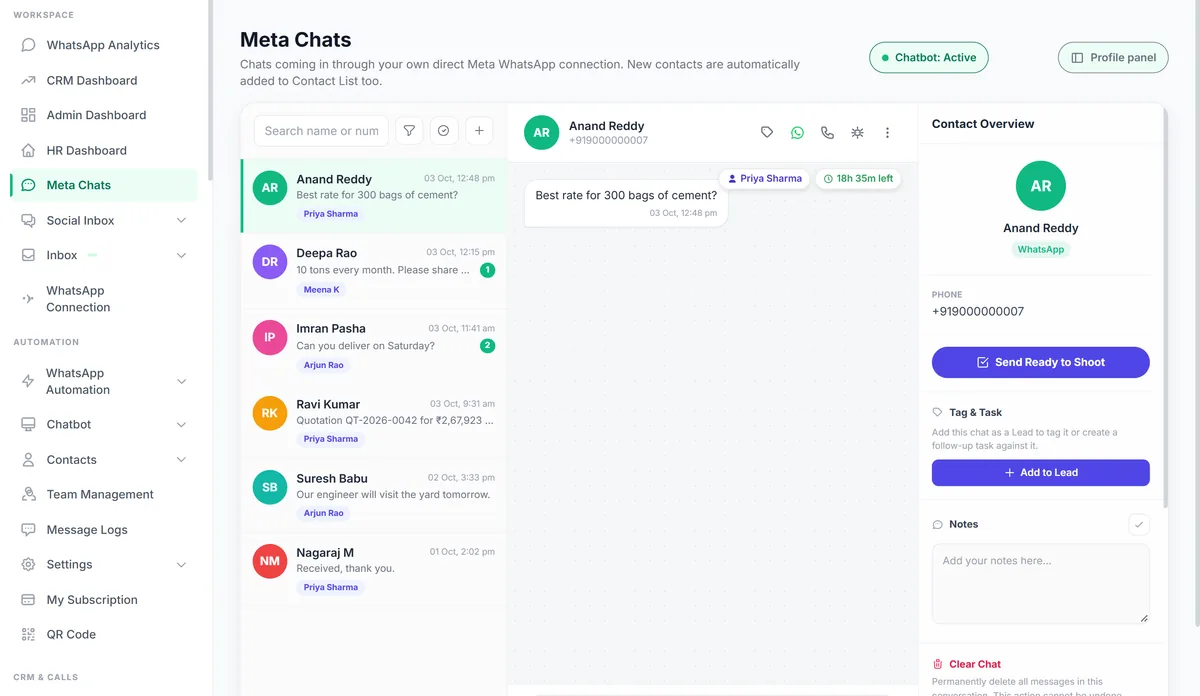
BizFlow puts your WhatsApp, Facebook Messenger and Instagram chats in one inbox your whole team can work from. On top of that it runs WhatsApp campaigns and chatbots, tracks leads in a sales pipeline, sends quotations and invoices, and handles attendance, payroll and service tickets. You choose which parts each team member can see.
Sharma Building Supplies
Business account · replies instantly
- Customer: Hi, what is the price for 50 bags of 53-grade cement delivered to Whitefield?
- Sharma Building Supplies: Hi Ravi, here is your quotation for 50 bags of 53-grade cement, including delivery to Whitefield.
- Sharma Building Supplies: sends Quotation QT-2041.pdf
- Sharma Building Supplies: Would you like to go ahead? Buttons: Confirm order, Talk to sales.
- Customer: Talk to sales
- Sharma Building Supplies: Priya from our sales team will reply here in a few minutes.
Who it's for
- Businesses that sell or support customers on WhatsApp
- Sales teams that lose track of follow-ups across phones
- Companies with field staff or service engineers to manage
- Agencies that want to offer a WhatsApp platform under their own brand
Features
What BizFlow does
Shared inbox
- WhatsApp, Facebook Messenger and Instagram DMs in one inbox
- Assign chats, add internal notes, block contacts, or turn a chat into a lead
- Reply to comments on your Facebook and Instagram posts
- Schedule a WhatsApp message to a contact
- Customer voice notes are transcribed and answered automatically
- New messages appear live, with push notifications on phone and browser
WhatsApp campaigns and automation
- Connect your WhatsApp Business number with "Connect with Facebook"
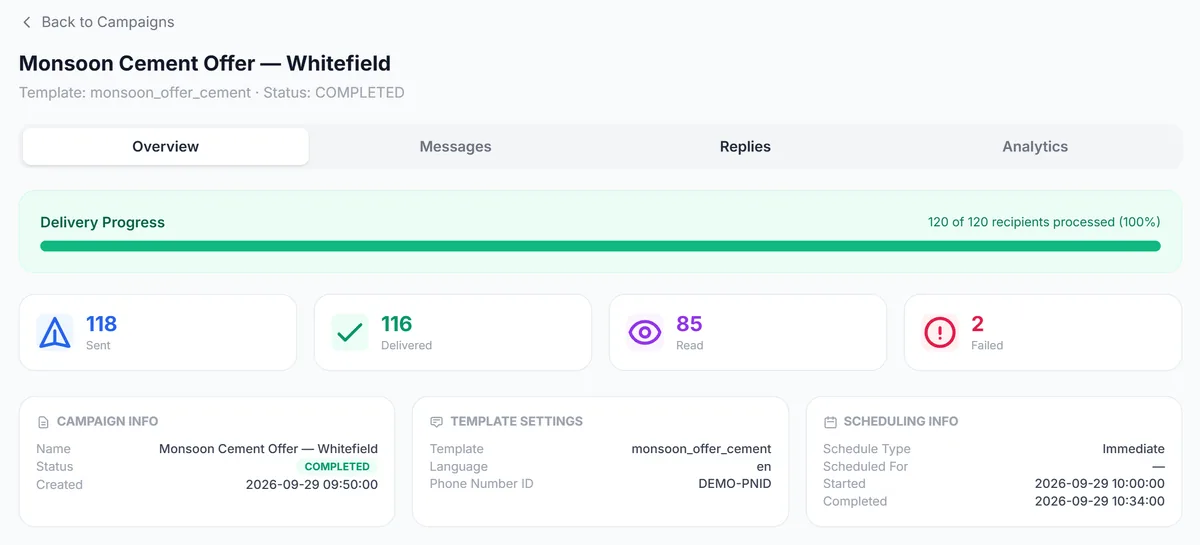
- Bulk campaigns to contacts or groups, with scheduling, pause and resume, and resend of failed messages
- Delivery and read reports for every campaign
- Create message templates, submit them to Meta and track approval and performance
- Buttons, lists, WhatsApp Flows forms, contact cards and locations
- Timed follow-up sequences that start when a lead reaches a pipeline stage or opts in
- Keyword opt-in and opt-out
- Order messages from Shopify and WooCommerce when an order is created, paid, shipped or cancelled
Chatbots
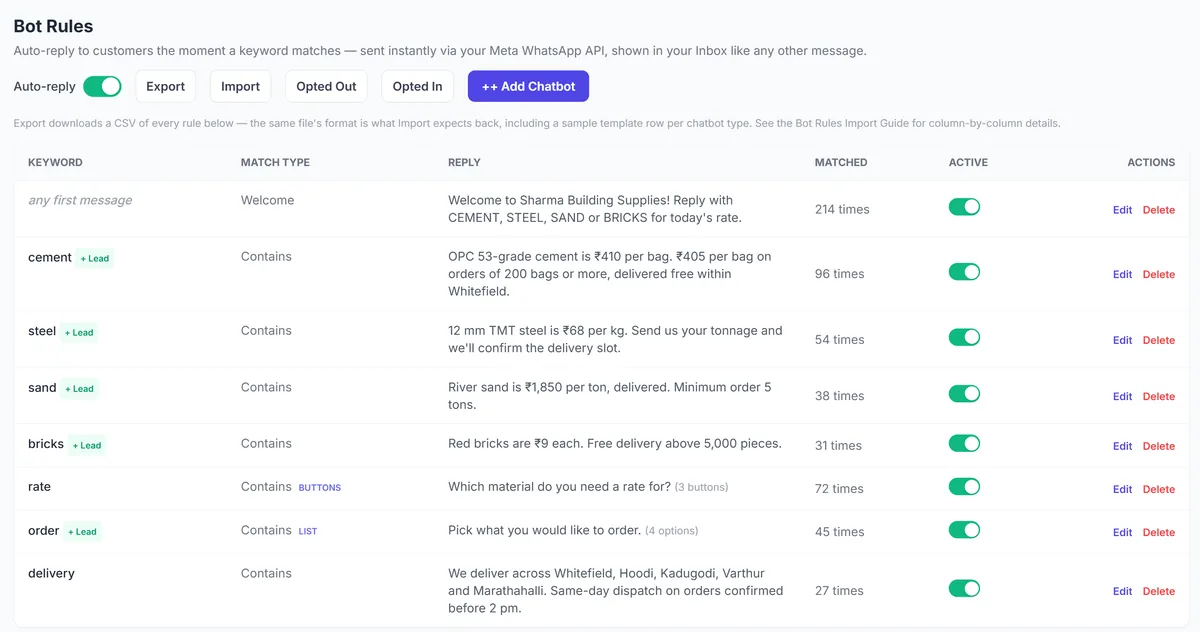
- Keyword auto-replies with 16 reply types, including products, catalogues and forms
- An AI chatbot that answers from documents you upload
- Auto-quote bot: a customer asks for a price and gets a quotation PDF back on WhatsApp
- Customers can raise service tickets over WhatsApp
- Staff can apply for leave and submit expenses over WhatsApp
- Export and import bot rules as CSV
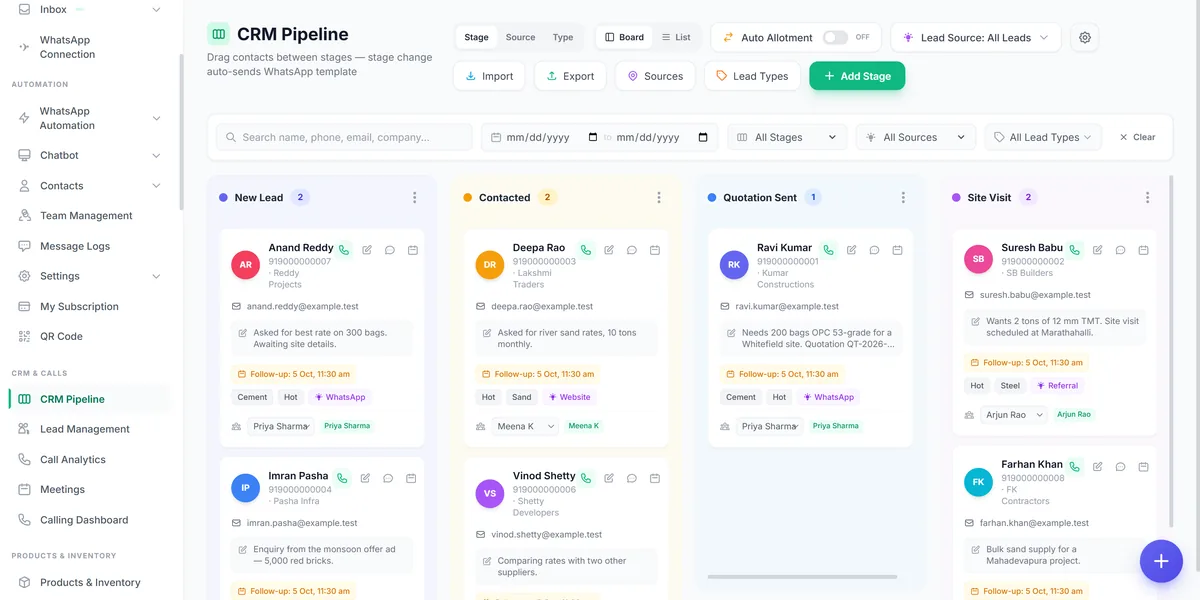
CRM and calling
- Drag-and-drop sales pipeline with stages, sources, tags and follow-ups
- Automatic lead assignment across your team
- Lead capture from Meta Lead Ads, website forms and the API
- Tasks, including recurring ones, with voice, image and document attachments
- Online and offline meetings with reminders
- Cold calling lists: assign numbers to agents, log outcomes, convert interested callers to leads
- Call reports, call logs and working hours per agent
Quotations, invoices and stock
- Quotations, proforma invoices, sales orders, tax invoices and delivery challans
- Approvals, version history, PDF download and sending by WhatsApp or email
- Your own numbering, tax rates, bank details, signatories and terms
- Products and inventory, with a shareable digital catalogue
- Customer and vendor directory, and a GST filing tracker
Ads, social posts and reviews
- Create Meta ad campaigns step by step, with AI-written ad copy and performance insights
- Plan and publish Facebook and Instagram posts and stories from a calendar
- Brand kit, media library and AI-made branded posts for upcoming occasions
- Collect reviews through a link or QR code, and send review requests on Google and WhatsApp
HR and field teams
- Attendance by QR code or GPS with a selfie check-in
- Shifts and leave requests
- Salary structures, payroll and payslips with loss of pay, PF and ESI
- Employee documents and self-onboarding through an invite link
- Live location of field staff on a map
- Expenses with receipt scanning and approvals
Service desk
- Service tickets with SLA tracking and engineer assignment
- AMC and warranty contracts with renewal reminders
- Visit calendar and a mobile check-in page for engineers
- A public "Track my ticket" page for your customers
Team access and integrations
- Choose exactly which menus and tabs each person can see
- Limit a person to their own leads, chats and tasks
- Owners and admins can log in as a team member to see their view
- API keys, outgoing webhooks and a webhook router
- Google Drive backup for chat media, attendance selfies and attachments
- Install the app on your phone
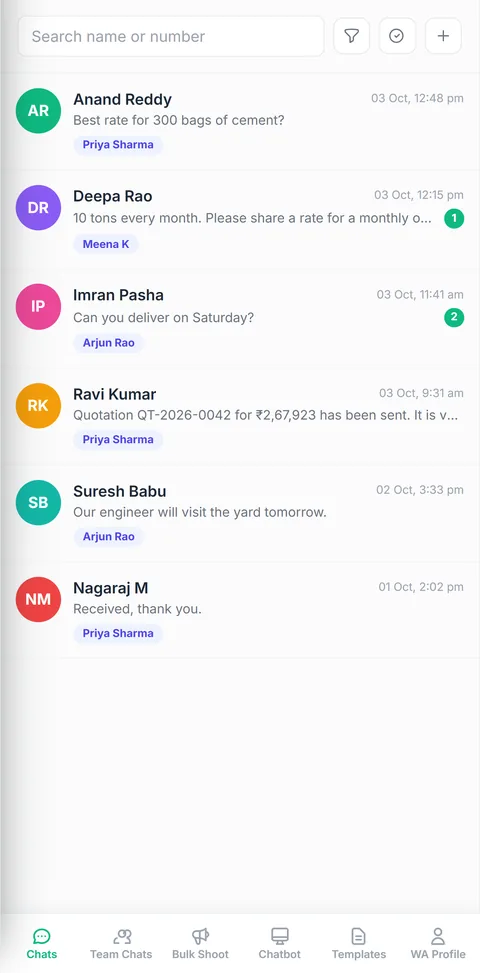
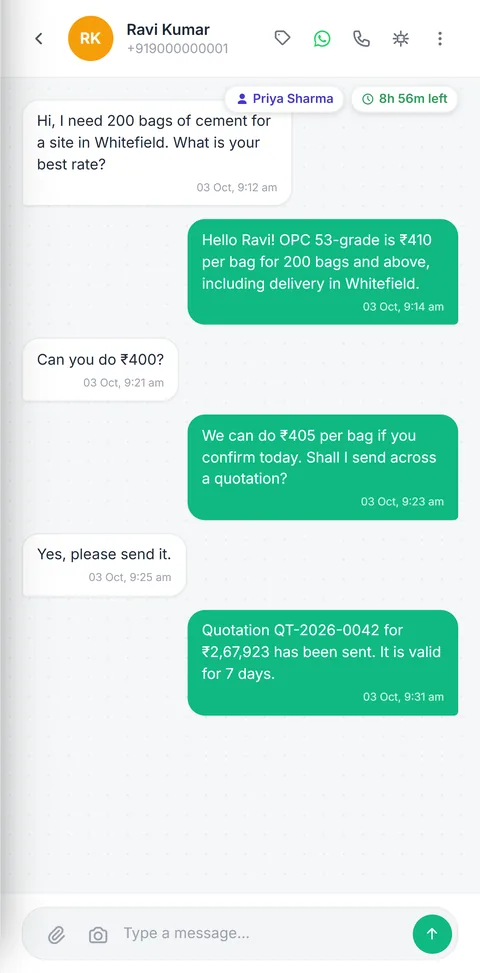
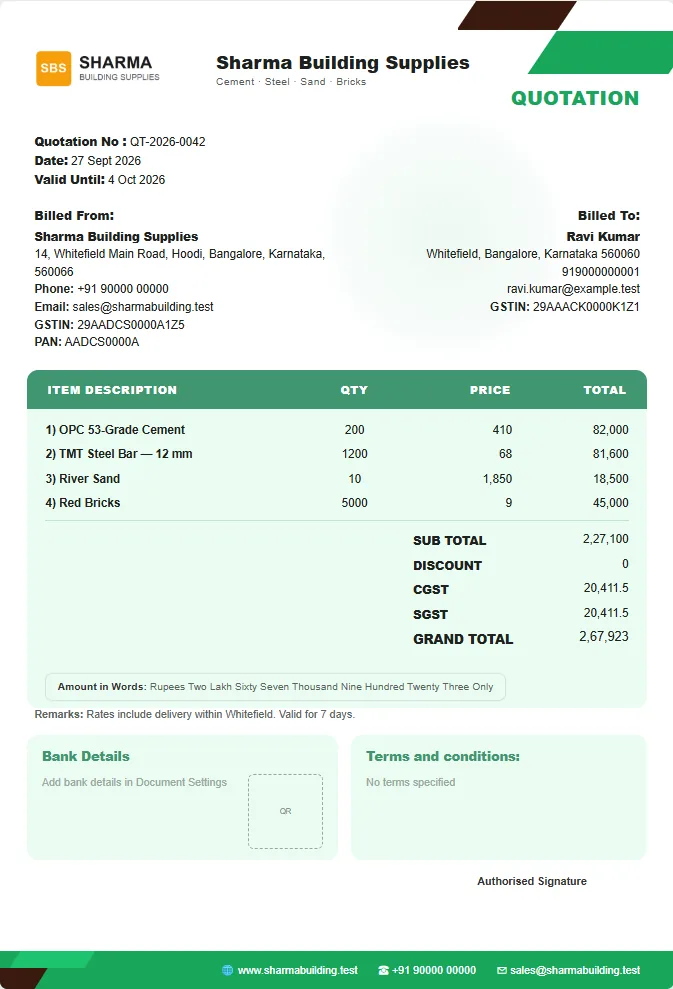
Screens from BizFlow with example data.
How to get started
- 1
Book a demo
We walk through BizFlow using your own sales and support process.
- 2
Connect WhatsApp
We help you connect your WhatsApp Business number and add your team.
- 3
Set up your bots and templates
Import your contacts, write your first bot rules and get templates approved by Meta.
- 4
Go live
Your team starts working chats and leads from one place.
Questions
Common questions
Last updated